Coding Owl is archived. It did not fulfill its core loop, so rather than pivoting or refactoring it, I am building something new from scratch with the lessons learned. Why Coding Owl is archived

Coding agents, while you are away

Your machine works while you are away.

Coding Owl runs coding agents on your machine while it is idle, so the work you queued up is waiting for review when you come back.

brew install vojtechmares/tap/coding-owl

01 — Idle

Only when you are away.

Ten minutes without input, on AC power, and Owl starts. The moment you are back, the agent is frozen and the machine is yours.

02 — Isolated

A worktree and a branch per Job.

An agent never touches your checkout. Every Job works on its own branch, rebased onto the base branch at the start of each Run.

03 — Verified

Done means the checks pass.

After the agent exits, Owl runs your project's own checks. A Job is finished only once they pass, and lands as a branch for you to review.

A night with Owl

Queue it, leave, review in the morning.

Register a repository, queue a prompt, and go. Owl waits for the machine to go idle, runs the agent on a branch of its own, checks the result, and leaves it waiting for you.

Follow the quick start →
owl sessionzsh
$ owl project add ~/code/my-appregistered my-app, base main
$ owl add "Add a --json flag to status"queued job 1 in my-app, planned first
22:41  idle for 10m, on AC power22:41  run 1 of job 1 on owl/job-123:17  agent exited, check test: ok23:17  job 1 waiting for review
$ owl statusJOB  PROJECT  STATE   BRANCH     RUNS1    my-app   review  owl/job-1  1

The desktop app

See what ran, what is running, and what is waiting for you.

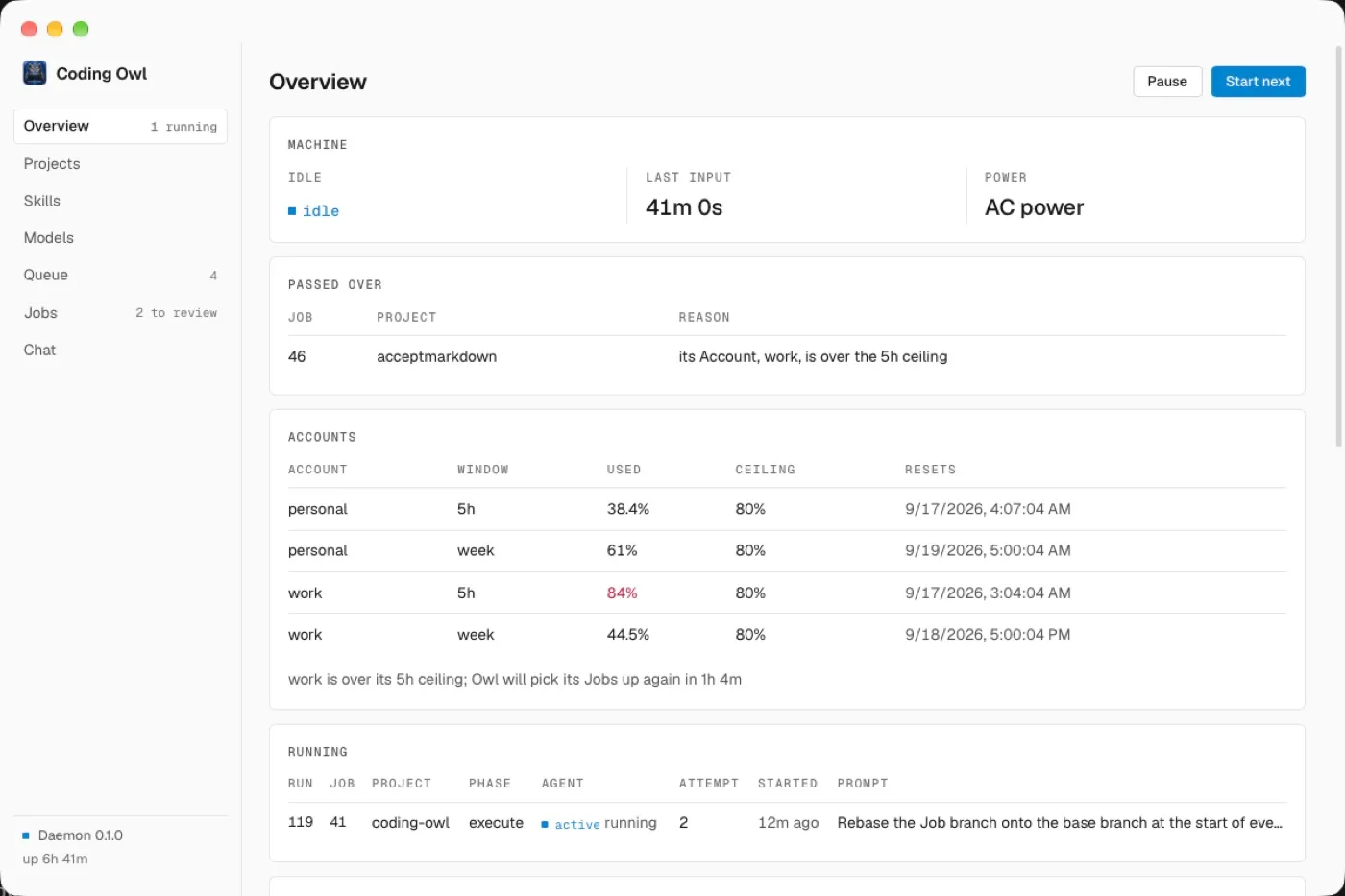
The desktop app is a view on the same daemon the CLI talks to: projects, the queue, jobs to review, and each run's log and diff.

The Coding Owl desktop app: the overview, with the machine idle on AC power, one Account over its five-hour ceiling, and a Run in progress.

In short

How it works, and when it fits.

The words in capitals are Owl's own; the glossary in the repository defines each one.

Source on GitHub →

How it works

  • A Job is a standing intent. It survives more than one attempt. Each attempt is a Run with a fresh Session, and what carries between Runs is a Handoff document committed on the Job’s branch, not a conversation.
  • Owl owns the process, the agent owns the conversation. Owl decides when to start, when to stop and what counts as done. The agent decides how to do the work.
  • Unattended by contract. Every Run tells the agent it is running alone: make reasonable assumptions, write them down, commit as you go, and stop plainly when blocked.
  • Capacity is respected. Give an Account a ceiling and Owl schedules against your subscription’s rate limit under it, so it never spends the headroom you need in the morning.

When it fits

  • The backlog you never get to. Refactors, test coverage, dependency bumps, the rename that touches forty files. Queue them, go home, review a branch in the morning.
  • Long-running, low-attention work. Anything that takes an agent an hour and takes you ten minutes to review.
  • One machine, one subscription. Owl uses the Claude Code you already have installed and the account you already pay for. There is no server and no extra seat.

What it is not

It is not a cloud service and it is not a chat window. Owl does not run in the background while you work, and it does not merge anything. Every result is a branch waiting for a human.

Risks

  • There is no sandbox. Agents run as your user, with your files, your network and whatever you are signed in to. The worktree is where an agent works, not a wall around it.
  • The default allowlist runs code. Build tools and package runners, without asking, and git includes git push.
  • No limits until you set them. Nothing caps a Run’s time or spend by default.
  • The desktop app is not notarised. It is ad-hoc signed, and the cask clears the quarantine flag.

Read the risks in the guide before you queue work.